In order for the user needs to be met at all levels, cross-platform compatibility of websites and apps is incredibly important. Whilst the purpose of the festival website is to inform the user on the atmosphere and previous experiences related to the festival, the app fulfills a different function – being convienient during the festival and aiding the attendee through navigating the festival. The way in which these purposes can be met in a distinct manner is through including slightly different features in between the two platforms, and emphasizing the contexts in which a user would be more likely to choose between a computer and phone. In addition, the website format would have responisve layout attached to it so that the user can be free to choose between using the browser and downloading an entire app depending on their preferences and circumstances such as not having enough storage on their phones.
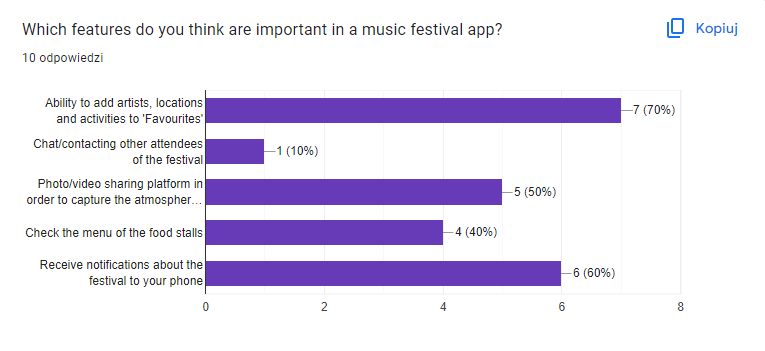
The forementioned survey that I created at the beginning of this task has been greatly beneficial in the process of evaluating user needs and preferences, which should be prioritized when creating an application. The results have stated that the small sample of the target audience would find features such as receiving notifications, adding artists to favourites, uploading own videos and photos of their experience at the festival, as well as the menu in the food stalls so that the attendees can prepare before arriving at the festival.
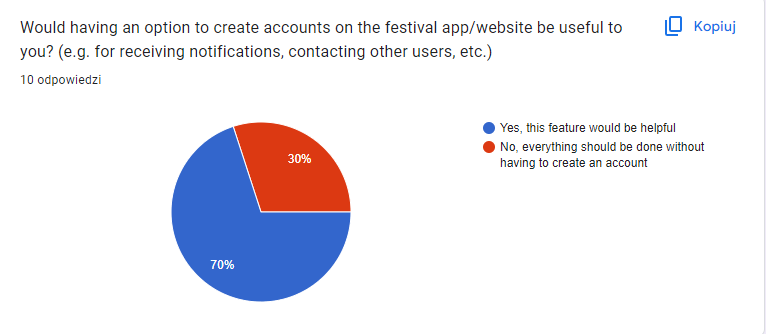
A unique feature which many mobile applications have is the onboarding feature which can determine whether the user will go through with using your product or abandoning it completely depending on how well it is executed. For example, including a lengthy form at the onboarding stage and making it a requirement to complete it in order to access the rest of the app at all. When it comes to the Pol’and’Rock festival app I am creating, I tried to ensure that the onboarding stage takes a few seconds but is flexible enough so that their experience of the app is customizable (e.g. language selection or location). I have also included an option to create an account on the app due to it being a popular demand in the survey, as well as offering the option to save their favourites and upload pictures of the festival from their account. However, this feature does not lock anyone out from being able to access the app, it just limits the forementioned features – this has been done to ensure that the app can be accessible to everyone and to increase the amount of time that the user stays on the app. According to Kurzweg (2023), mobile app onboarding is significant because it puts the product’s value in front and center.
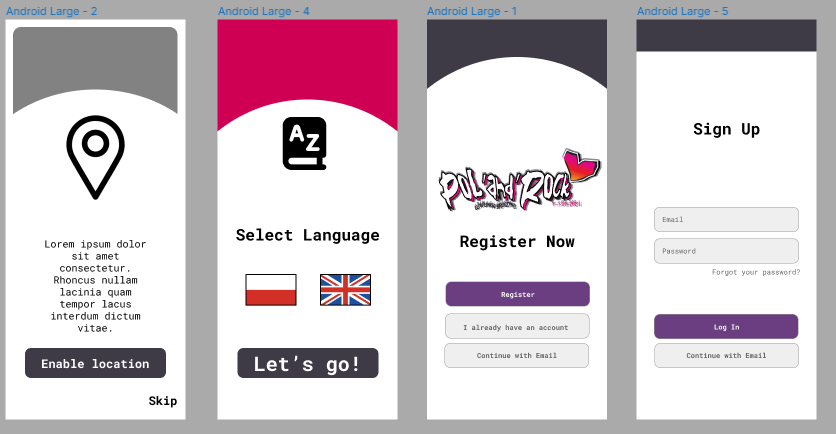
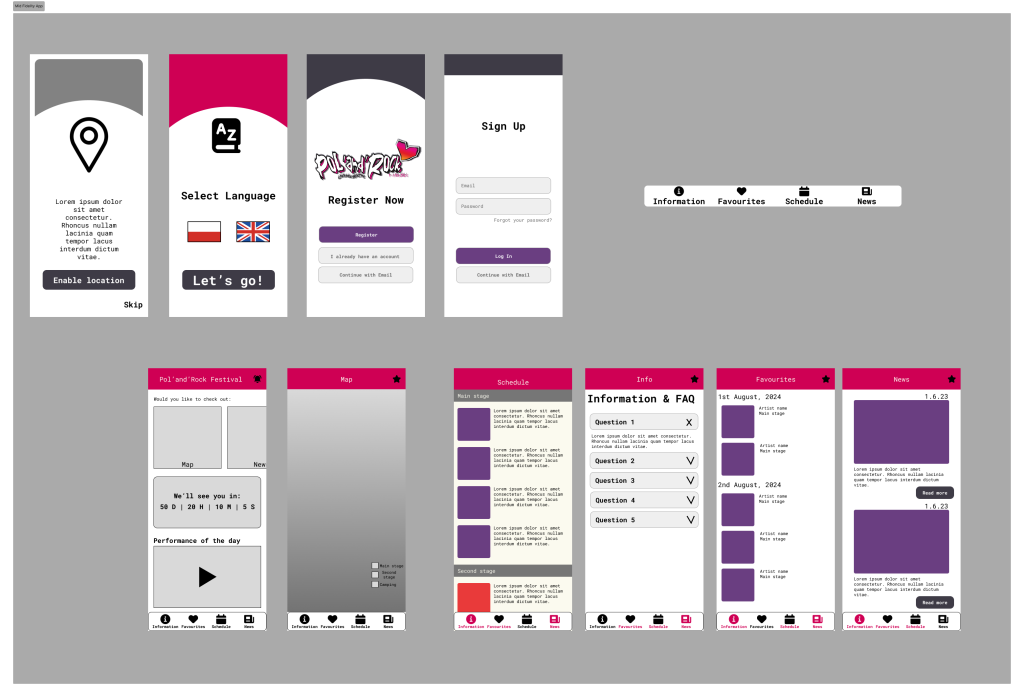
The mid-fidelity prototype usually includes some interactions to showcase approximately how the app would function without risking the loss of time as it does not include all of the design elements yet so it can be changed with minimal risk. When it comes to the mid fidelity of this app, I have attempted to add some small functions such as the navigation bar, scrolling, category sorting, and a flow between the pages.

Harvard Referencing
Kurzweg, J. (2023) App onboarding guide: top 10 onboarding flow examples 2024. Available online: https://uxcam.com/blog/10-apps-with-great-user-onboarding/#:~:text=App%20onboarding%20is%20the%20process,users%20have%20with%20your%20product. [Accessed 4/4/2024].
Leave a Reply