Emerging technologies offer a wide variety of subcategories of technologies such as VR, AR, MR, XR and more. In this project, I will be conducting experimentation with these different tools before I pursue my personal project with emerging technologies.
360° View & WebVR Prototyping
When experimenting with geometry nodes in Blender, the first thing I did is follow a tutorial on how to create the effect of an object breaking into pieces. I have used this as the base for experimenting with 360° view on YouTube because it enables the viewer to see the effect from different angles. The video experimentation below is not a great representation of what can be achieved with this technology as it is the first time that I have tried it. In order to improve this, I would have started from scratch and created a scene of a window shattering as it would be easier to set up the atmosphere and context of it.
My second attempt at 360° view video started with a storyboard sketch where I attempted to focus on creating a specific mood, atmosphere and setting. This attempt ended up becoming my main idea for this project due to the possibilities that could be achieved with it. The storyboard presents a fashion runway with an eerie atmosphere. My main goal for this was to create a feeling of uneasiness, and it is meant to be viewed from the perspective of a new mod or someone who was picked up off the street to model a high fashion clothing brand however they were not trained well and do not feel prepared to be judged by the audience.
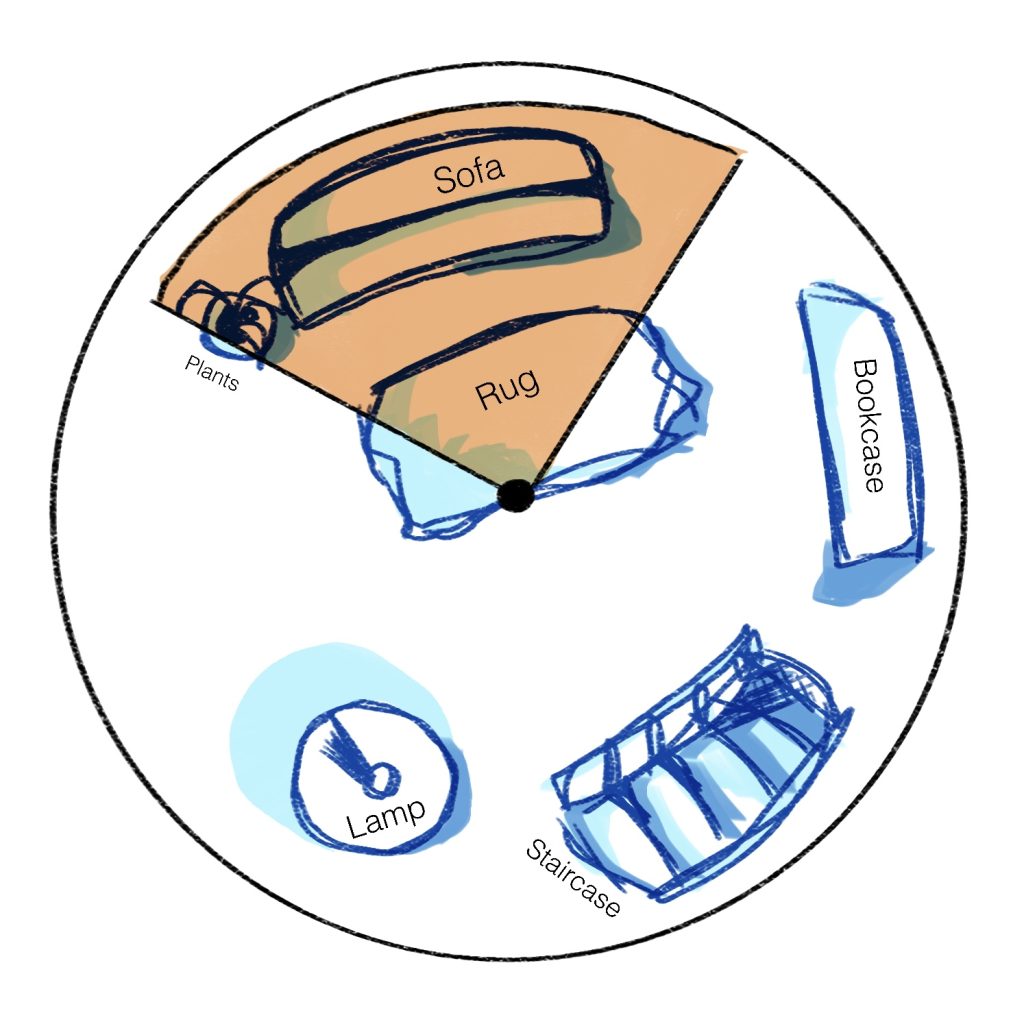
I have created a sketch of the 360 video before I have modelled it in Blender and then exported onto Youtube. I have tried to take into consideration the space in between the furniture and how a user would interact through viewing the room by placing it in a sphere and presenting the field of view that the user would have at the time as well as what they could view when they turn around. For this small experiment, my intention is to invoke feelings of comfort and familarity for the viewer – I have tried to make the spacing right so that the room isn’t too large or too cluttered where the user might not be sure on what they should place their focus on.
The “final” product of this experiment ended up being quite successful as my goal was to create a room for furniture visualisation and also atmosphere building. If I were to continue working on this, I would add more textures and more intricate lighting or even subtle animations to bring it further to life. One way in which I have thought about the space, colour and lighting is through creating a room in the attic – I have considered different lighting options how decided on this dim light in order to create a comfortable atmosphere. I have ensured to use warmer colours with hints of dark turquoise in order to create some form of contrast and make sure that the users are focusing on the furniture as well as the overall atmosphere.
The way in which I have considered UX in this VR space is through making sure there is adequate amount of room in between the camera and the objects. One further way in which I would improve this in the future is through making the staircase more visible as they ended up being covered by the railing, and the user should be able to view everything clearly.
FrameVR
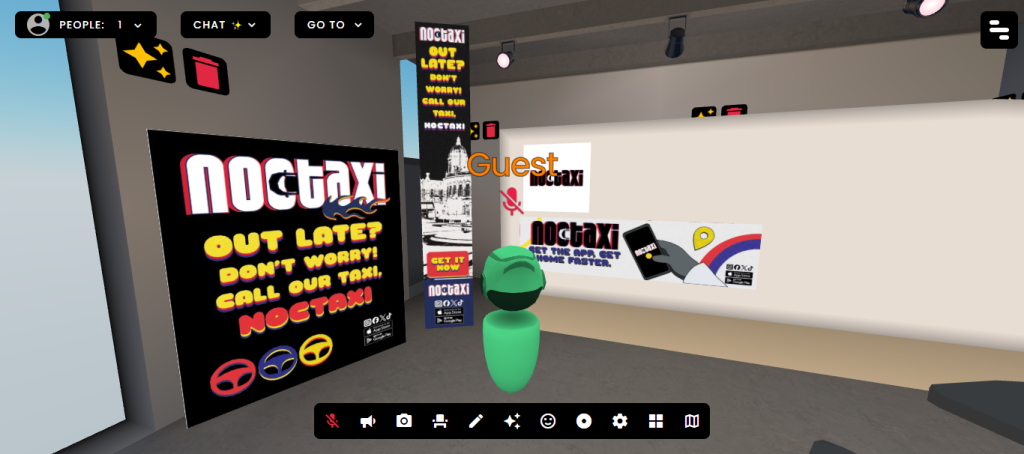
FrameVR Link: Frame
As for the virtual reality website that lets you create virtual worlds for meetings with others, I have used FrameVR. My intention with this space is to showcase some of my portfolio work in a virtual space to show the participants of the meeting how these branding materials would be presented in a “physical” space. One advantage of programs such as FrameVR is the possibilities that it allows for hosting things such as office meetings, virtual galleries and portfolio showcases as it also has a built-in feature where the participants can speak through voice chat as if they were in an online meeting. However, this program has its limitations – I personally found it irritating to place objects properly without accidentally tilting them as the gizmo tool was slightly difficult for me to get accustomed to. If I were to use this tool in my future projects, I would utilize it as a way of presenting my own portfolio and including any context behind the projects so that the viewers an understand the presentation.
Immersive User Experience & Augmented Reality
The software that I used to experiment with AR is 8th Wall. My idea for this experiment was to create a small animation that would be overlayed over the mobile screen of the user. Firstly, I have created a cartoon-like model of a cat and a keyboard in Blender and imported it into the program. I have created a very simple animation in order to test out the features of this program and to experiment with the possibilities within this software. The way in which a user would interact with this would be using their phone camera and pointing towards a keyboard in order to view this animation. Through creating this, I have learned different ways of using image targets – in this instance, I kept having issues with that aspect because the 3D model would appear wrong.
When creating another AR experience, I would do more research on how the user experience could be improved through centering the model more carefully and prompting the user to interact with the screen in order for the AR animation to show up. If I were to do this experiment again, one way I would improve it would be through creating an AR experience where the user can scan the menu in a restaurant and a 3D model of the food and portion would show up, allowing the customer to know the portion and how the food looks before buying.
VR Immersive Art
OpenBrush
When creating VR immersive art, there is another sense that needs to be considered and on the forefront, and it is spatial awareness and dimensionality. When using VR for the first few times, it can be difficult to get used to this aspect, and when drawing in OpenBrush, the drawings can look tilted if you forget that the paintings are not done on a flat plane and are in a 3D space. When first using this software, it was difficult to keep drawings flat on a surface, and whilst I thought this was a slight disadvantage at first, the more that I worked with VR art, I have realised that it is a powerful tool for creating 3D surroundings.
When creating VR art, I have decided to create sketches of cakes and desserts as I had the idea of this technology being used by baking artists to “sketch” their ideas first before committing to painting on a cake where mistakes can be more difficult to fix. The reason behind me having this idea is that you can create physical layers when painting in OpenBrush, therefore opening up possibilities for different creative expressions where you can view the painting as if it was manifesting around you instead of on a flat plane of a canvas.
This experience has reminded me of creating sculptures, and one advantage this has over sculpting in reality is that you are not creating material waste if the sculpture goes wrong and cannot be fixed. This reminiscence has provided me with ideas on how I could incorporate this into a future project – the main usage of this technology seems to be expessing creativity and creating surroundings that a user can walk through in VR. OpenBrush as a software would work incredibly well in projects which focus on community creativity, where one would create a stencil or an outline or environment and then had the players populate the virtual world with their paintings.
ShapesXR
ShapesXR is a software that is incredibly useful for mocking up spaces and user interfaces in VR. When experimenting with this program, I have attempted to create a mock up of a kiosk screen for a store in the middle of a city. ShapesXR also has more of a focus on interactivity and prototyping, which would be useful when creating virtual interfaces as they allow insight into how the spatial depth can affect the UI in VR, and the dimensions needed for the user to be comfortable using the interface. I am planning on using this program in my project due to its versatility and I also want to explore further into how an interface would work in VR.
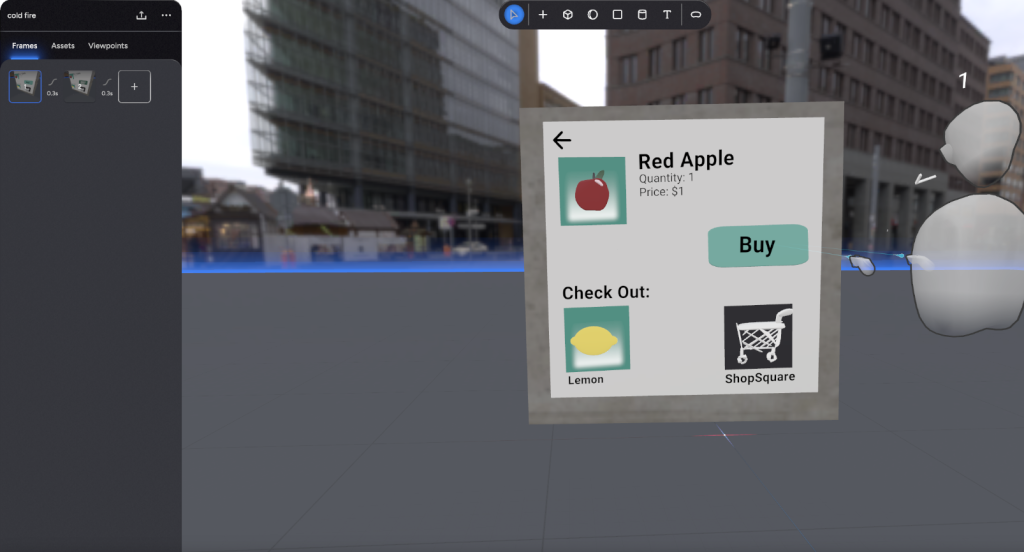
Later, I have tried to fix the UI slightly on the PC version of the program – it was difficult to place things at a straight angle as the VR version relies on your hands being steady and precise. This experience has inspired me to continue with this idea due to the fact that it is also compatible with other design tools such as Figma and Blender, which could lead to creating more assets for this app and then importing it into a headset.
Harvard References
- Melo, M., Coelho, H., Goncalves, G., Losada, N., Jorge, F., Teixeira, M., S., Bessa, M. (2022) Immersive multisensory virtual reality technologies for virtual tourism. Multimedia Systems, 28(1027-1037). DOI: https://doi.org/10.1007/s00530-022-00898-7
- Bucher, J. (2017) Storytelling for virtual reality. Routledge.
- Farshid, M., Paschen, J., Eriksson, T., Kietzmann, J. (2018) Go boldly!: Explore augmented reality (AR), virtual reality (VR), and mixed reality (MR) for business. Business Horizons, 61, 5(657-663). DOI:https://doi-org.hull.idm.oclc.org/10.1016/j.bushor.2018.05.009
- Brument, H., Pace, F., D., Podkosova, I. (2024) Does mixed reality influence joint action? Impact of the mixed reality setup on users’ behaviour and spatial interaction. Multimodal User Interfaces, 19(119-138). DOI: https://doi.org/10.1007/s12193-024-00445-w
- Guzman, J., A., D., Thilakarathna, K., Seneviratne, A. (2019) Security and privacy approaches in mixed reality: a literature survey. ACM Comput. Surv., 52, 6, 110(1-37). DOI: https://doi.org/10.1145/3359626
Leave a Reply